Description

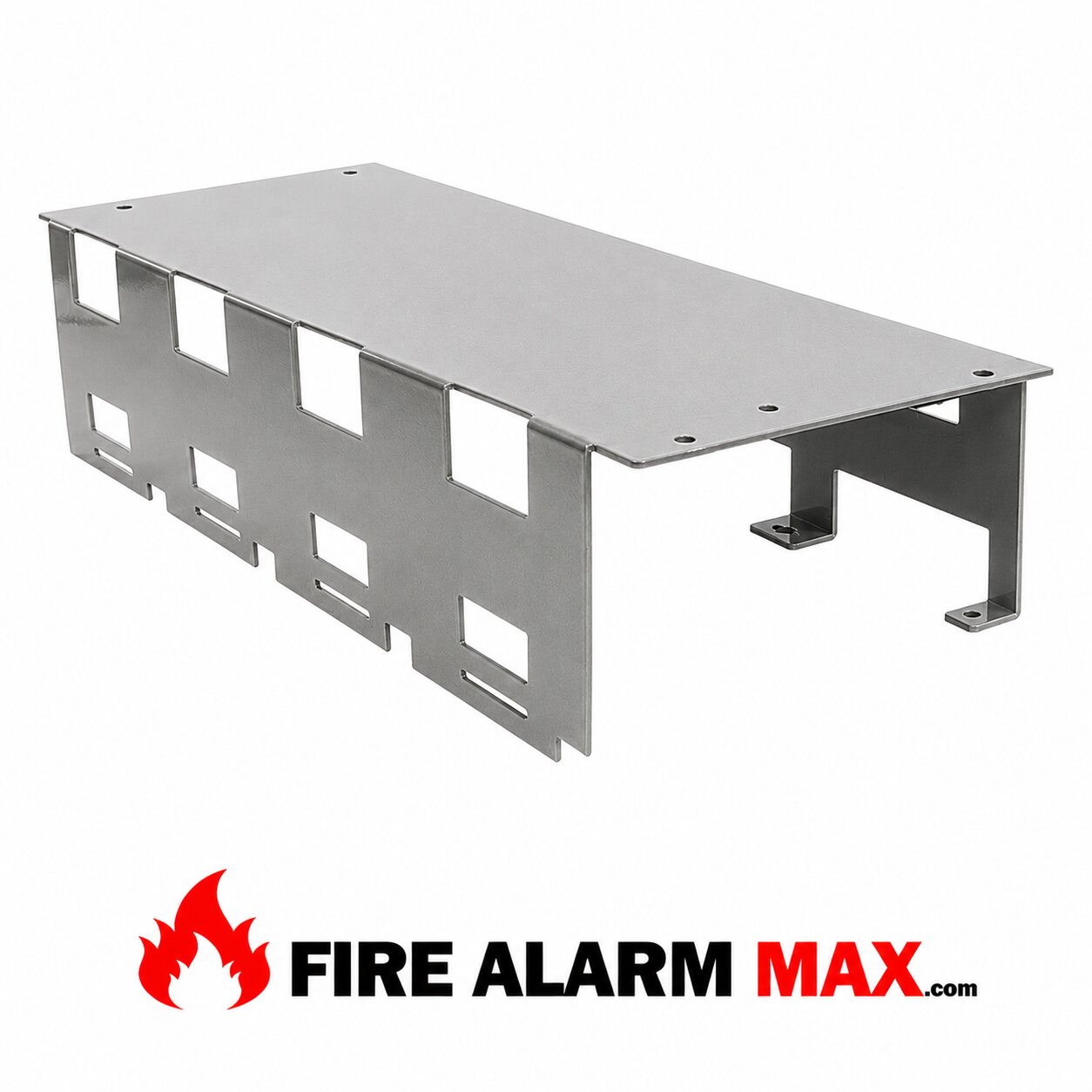
Notifier CHS-4 Chassis

Installation
In each row of the cabinet that will employ XP Transponder modules, install a CHS-4 or CHS-4L Chassis. For proper grounding of the XPP-1 to the cabinet, connect the grounding cable (provided with the XPP-1) to the left chassis mounting screw as illustrated.
Step 1
Insert the XPP-1 into the leftmost slot on the CHS-4, angling the upper end of the module into position as shown above.
Step 2
Carefully push the XPP-1 toward the back of the cabinet until the module is vertical.
Step 3
Pull the XPP-1 down until the module engages the slot in the chassis.
Step 4
Align the module screws with the threaded holes in the chassis and secure them into place.
Install the AVPS-24/AVPS-24E over the screw mounts on the CHS-4/4L Chassis and secure it with two nuts.
Install the APS-6R over the mounts on the CHS-4/ 4L Chassis and secure with standoffs inserted into the APS-6R mounting slots.
After the XPP-1 module has been installed into the CHS-4, the remaining system modules may be installed. Interconnecting ribbon cables must be installed at the same time as each XPC, XPM, or XPR module, as outlined on the following pages.
The procedure for mechanical installation of XP Transponder modules into the CHS-4 Chassis and connection of the module ribbon follow on the next two pages.
Notifier CHS-4 Chassis

Additional information

Weight 2 lbs
Dimensions 8 × 8 × 8 in

Reviews

There are no reviews yet.

Be the first to review “Notifier CHS-4 Chassis”

Your email address will not be published. Required fields are marked *

Payment & Security

Your Payment information is processed securely. We do not store credit card details, nor have access to your credit card information.

Notifier CHS-4 Chassis

SKU CHS-4 Category Tag Brand:
Price:
$129.00
Shipping calculated at checkout | Purchase & earn 129 points!
Stock:
10+ units in stock - ready to ship.
Quantity:

FAST SHIPPING

Orders ship same day

HUGE INVENTORY

Thousands of parts in stock

TRUSTED BY CONTRACTORS

Reliable products & service

24/7 ORDERING

Order anytime, anywhere

Description

Notifier CHS-4 Chassis

Installation
In each row of the cabinet that will employ XP Transponder modules, install a CHS-4 or CHS-4L Chassis. For proper grounding of the XPP-1 to the cabinet, connect the grounding cable (provided with the XPP-1) to the left chassis mounting screw as illustrated.
Step 1
Insert the XPP-1 into the leftmost slot on the CHS-4, angling the upper end of the module into position as shown above.
Step 2
Carefully push the XPP-1 toward the back of the cabinet until the module is vertical.
Step 3
Pull the XPP-1 down until the module engages the slot in the chassis.
Step 4
Align the module screws with the threaded holes in the chassis and secure them into place.
Install the AVPS-24/AVPS-24E over the screw mounts on the CHS-4/4L Chassis and secure it with two nuts.
Install the APS-6R over the mounts on the CHS-4/ 4L Chassis and secure with standoffs inserted into the APS-6R mounting slots.
After the XPP-1 module has been installed into the CHS-4, the remaining system modules may be installed. Interconnecting ribbon cables must be installed at the same time as each XPC, XPM, or XPR module, as outlined on the following pages.
The procedure for mechanical installation of XP Transponder modules into the CHS-4 Chassis and connection of the module ribbon follow on the next two pages.
Notifier CHS-4 Chassis

Additional information

Weight 2 lbs
Dimensions 8 × 8 × 8 in

Reviews

There are no reviews yet.

Be the first to review “Notifier CHS-4 Chassis”

Your email address will not be published. Required fields are marked *

Payment & Security

Your Payment information is processed securely. We do not store credit card details, nor have access to your credit card information.

CUSTOMER TESTIMONIALS

What Our Customers Say

Can't find it?

    Select at least 2 products
    to compare